Peek at your Mac's vitals
A lightweight, native system monitor that lives in your menu bar.
Track CPU, memory, network, disk, battery, and GPU — all with
Tahoe's Liquid Glass design.
Lighter than iStat Menus. Native to Tahoe unlike Stats. From $4.99, one-time.

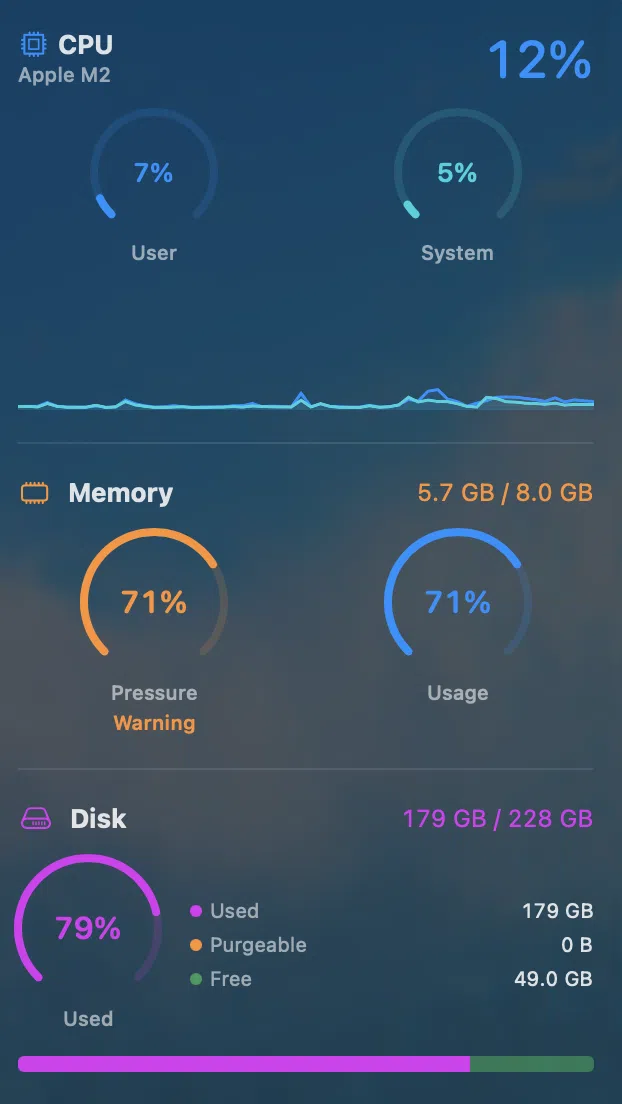
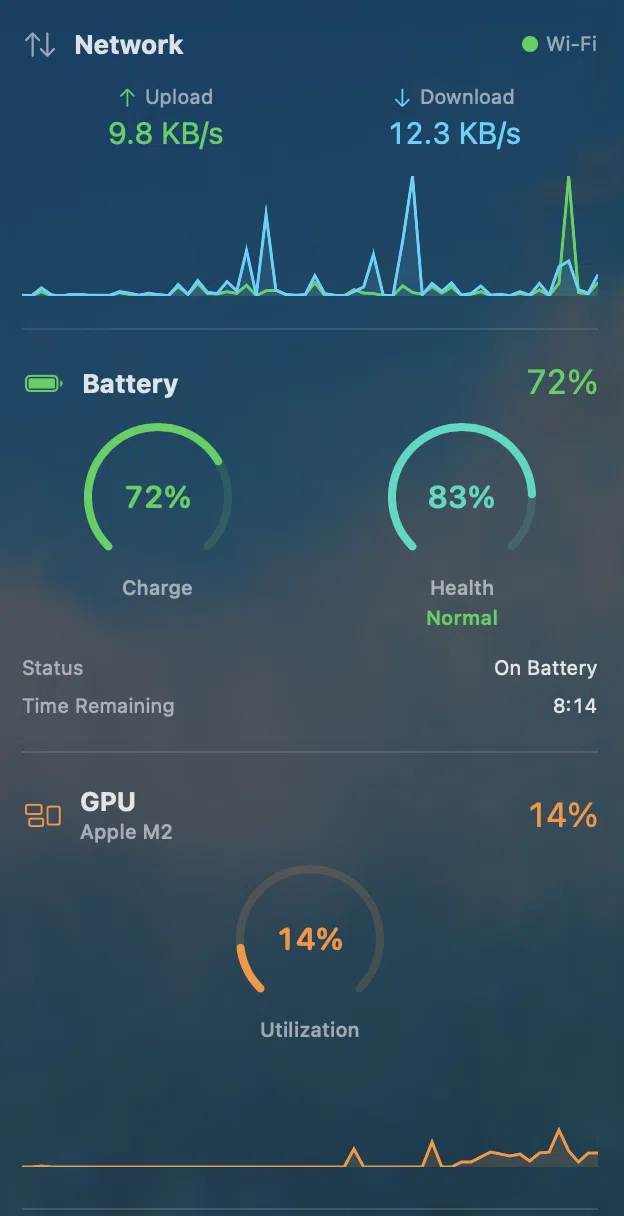
Six modules. One menu bar.
Every vital metric, always one glance away.
CPU
Total and per-core usage with P-core and E-core breakdown. User vs system split, load averages, and real-time sparkline history.
Memory
Active, wired, compressed, and swap breakdown. Color-coded pressure indicator from green to red.
Network
Live upload and download rates with dual sparkline graphs. Wi-Fi SSID, local and public IP, connection type.
Disk
Storage usage with purgeable space, read/write throughput, and per-volume breakdown for all mounted drives.
Battery
Charge percentage, health, cycle count, wattage, and temperature. Color shifts from green to yellow to red as charge drops.
GPU
Metal GPU utilization and VRAM usage. Real-time sparkline with 60-sample history buffer for trend analysis.
Why Peekbar Is the Best System Monitor for macOS Tahoe
Built different, on purpose.
Tahoe Native
Designed from the ground up for macOS Tahoe. Liquid Glass translucency, native SwiftUI views, and menu bar rendering that feels like part of the OS.
Lightweight
No Electron. No web views. Pure Swift with minimal CPU overhead. Polls every 2 seconds with debounced UI updates — your battery will thank you.
Real-Time Sparklines
60-sample ring buffers drive live sparkline graphs for every module. See trends at a glance without opening a single window.
Smart Alerts
Set custom thresholds for CPU, memory, disk, and battery. Native macOS notifications with configurable cooldowns so you're never spammed.
CSV Export
Export snapshot data for any module or all modules at once. Perfect for system audits, performance reports, or diagnosing issues over time.
Global Hotkey
Press ⌘⇧P from anywhere to toggle the dropdown. Instant access without reaching for the menu bar.
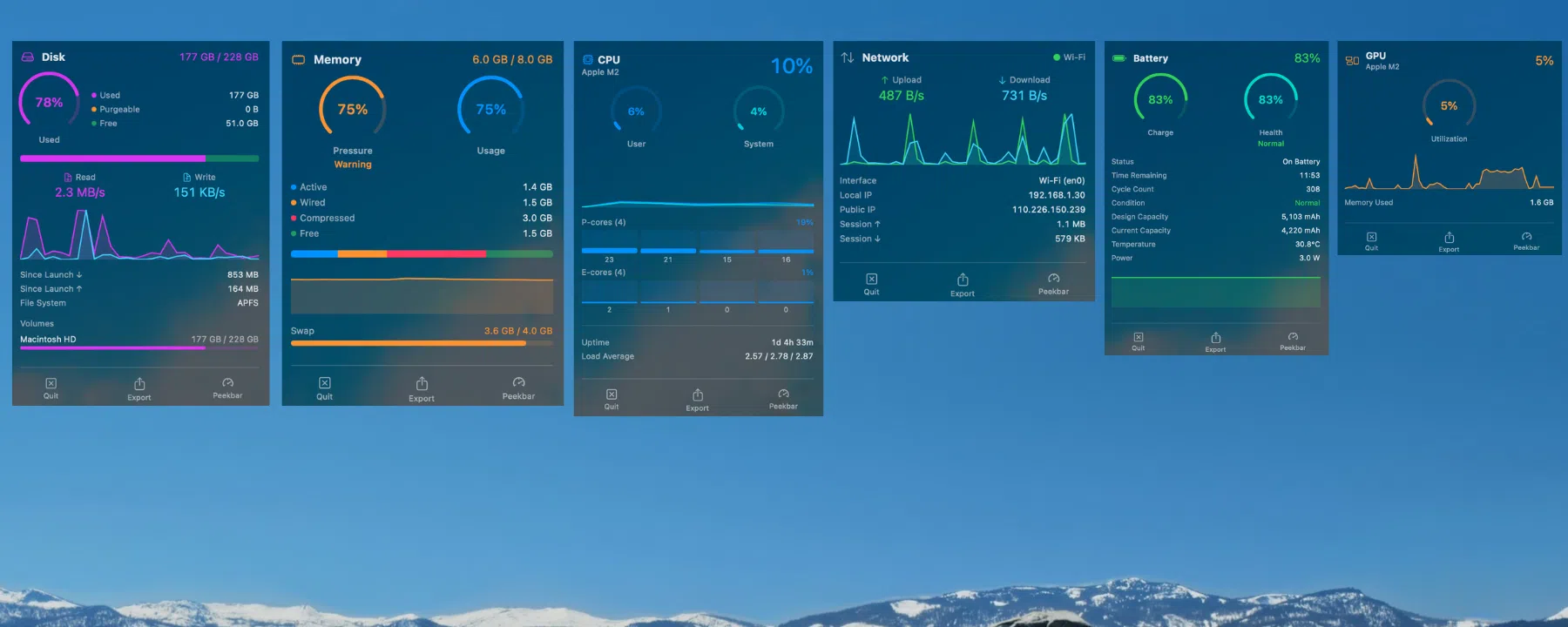
Expanded Mode: Full System Stats in Your Menu Bar
Give each module its own menu bar item and detailed dropdown with full stats.

Simple pricing. No subscriptions.
Pay once, own it forever.

Frequently Asked Questions
Everything you need to know about Peekbar.
What is Peekbar?
Peekbar is a lightweight macOS system monitor that lives in your menu bar. It tracks CPU, memory, network, disk, battery, and GPU usage in real time using native Liquid Glass design built specifically for macOS Tahoe.
Does Peekbar work on macOS versions before Tahoe?
No. Peekbar requires macOS 26.0 (Tahoe) or later. It is built from the ground up using Tahoe-exclusive APIs and Liquid Glass translucency, so it cannot run on earlier macOS versions.
How much does Peekbar cost?
Peekbar is $4.99 as a one-time purchase on the Mac App Store. There are no subscriptions, no in-app purchases, and free updates are included.
How is Peekbar different from iStat Menus?
Peekbar is built natively for macOS Tahoe with Liquid Glass design, whereas iStat Menus was designed for earlier macOS versions. Peekbar is lighter (pure Swift, no Electron), costs $4.99 one-time vs iStat's $11.99, and focuses on essential metrics with a modern Tahoe-native interface.
Does Peekbar use a lot of CPU or battery?
No. Peekbar is built in pure Swift with no Electron or web views. It polls system metrics every 2 seconds with debounced UI updates, resulting in minimal CPU overhead and negligible battery impact.
What modules does Peekbar include?
Peekbar includes 6 monitoring modules: CPU (with per-core and P/E-core breakdown), Memory (active, wired, compressed, swap), Network (upload/download speeds, IP addresses), Disk (storage, read/write throughput), Battery (health, cycle count, temperature), and GPU (Metal utilization, VRAM).
Can I export system data from Peekbar?
Yes. Peekbar supports CSV export for any individual module or all modules at once. This is useful for system audits, performance reports, or diagnosing issues over time.
Is there a free trial for Peekbar?
Peekbar does not currently offer a free trial. It is available as a one-time $4.99 purchase on the Mac App Store with no subscriptions.
Does Peekbar work with iPad?
Yes. Peekbar includes an iPad companion streaming feature that sends real-time system data to your iPad over your local network via Bonjour, so you can monitor your Mac remotely from the same room.
How do I quickly open Peekbar?
Press Cmd+Shift+P from anywhere on your Mac to toggle the Peekbar dropdown instantly. You can also click any of the module icons in your menu bar. The hotkey is customizable in Settings.